How to Stop Brute Force Attacks on Your Login Pages

Mari Dimasi
Content & Growth
 Claude
  Perplexity
In early 2025, the Shadowserver Foundation detected a brute force campaign using 2.8 million unique IP addresses every day to hammer VPN and firewall login endpoints from Palo Alto Networks, Ivanti, and SonicWall. The attack nodes were compromised MikroTik, Huawei, and Cisco routers, orchestrated by a botnet and funneled through residential proxies.
This was not a sophisticated zero-day exploit. It was password guessing at industrial scale.
Brute force attacks remain one of the most common and damaging threats to any authentication system. With 15 billion stolen credentials circulating on the dark web and AI tools that predict likely passwords before trying random combinations, the barrier to launching these attacks has never been lower.
Here is how they work, why traditional defenses fall short, and what actually stops them.
The four types of brute force attacks
Traditional brute force
The straightforward approach: try every possible password against a single account. Attackers start with the most common choices (“123456” still leads with 7.6 million appearances in leaked databases) and work outward. It is slow, but weak passwords fall fast. AI-powered tools like PassGAN now skip random guessing entirely, predicting likely passwords based on patterns in real leak databases. 85.6% of common passwords can be cracked in under ten seconds with AI assistance.
Credential stuffing
The bigger threat. Attackers take username/password pairs from previous data breaches and test them against your site. Since 94% of passwords are reused across accounts, this method delivers a 0.1-4% success rate. That sounds small until you consider the volume: Akamai logs 26 billion credential stuffing attempts per month. At 0.1%, that is 26 million successful compromises monthly.
Password spraying
Instead of trying thousands of passwords against one account, attackers try a handful of common passwords (“welcome1”, “P@ssw0rd”, “Spring2026!”) across thousands of accounts. This avoids triggering per-account lockouts and flies under basic rate limiting since each account only sees one or two attempts. Microsoft reports these attacks succeed about 1% of the time, which at enterprise scale means reliable compromise.
Distributed attacks
Modern brute force does not come from a single IP. Botnets and residential proxy networks spread attempts across millions of addresses. The 2025 Shadowserver campaign used 1.1 million IPs from Brazil alone on its peak day. When each IP sends only one or two requests, traditional IP-based blocking sees nothing unusual.
Why traditional defenses are not enough
Each defense on its own has a gap that attackers exploit:
Rate limiting works against single-source attacks but crumbles against distributed campaigns. When 2.8 million IPs each send two attempts, your per-IP rate limit never triggers.
Account lockouts stop targeted attacks on individual accounts but can be weaponized. Attackers intentionally lock out legitimate users as a denial-of-service tactic. And password spraying deliberately stays under lockout thresholds.
CAPTCHAs add friction for everyone while barely slowing attackers. Half of all CAPTCHAs are now solved by bots, and solving services cost under $1 per 1,000 challenges. They are a speed bump that bots drive right over.
IP blocklists are always outdated. Residential proxies rotate IPs every few minutes. By the time you add an address to your blocklist, the attacker has moved on.
Passwords themselves are the core weakness. 78% of people reuse passwords across accounts, and 80% of data breaches trace back to compromised, weak, or reused credentials.
No single layer is enough. The attacks that get through are the ones that exploit the gaps between your defenses.
Layered prevention that actually works
1. Smart rate limiting
Rate limiting is still your first line of defense, but it needs to work at multiple levels:
- Per IP: 5 failed attempts per 10 minutes triggers a progressive delay
- Per account: 10 failed attempts per hour triggers a temporary lockout with user notification
- Per device: Track attempts by device fingerprint, not just IP, to catch distributed attacks using the same automation tools
Progressive delays (doubling the wait after each failure) are more effective than hard lockouts. They slow attackers without giving them a denial-of-service weapon against your users.
2. Multi-factor authentication
MFA blocks 99% of automated brute force attacks. Even if an attacker has the correct password, they still need a second factor. Push notifications, authenticator apps, and hardware keys all work.
The critical caveat: 65% of successful account takeovers now bypass traditional MFA through session hijacking, MFA fatigue attacks (spamming push notifications until the user taps “approve”), and real-time phishing proxies. MFA is essential but not sufficient.
Passkeys are the strongest option available. They use public-key cryptography where the private key never leaves the user’s device. There is no password to brute force, no credential to stuff, and no code to intercept. Over 1 billion people have activated passkeys, and 48% of the top 100 websites now support them.
3. Device intelligence
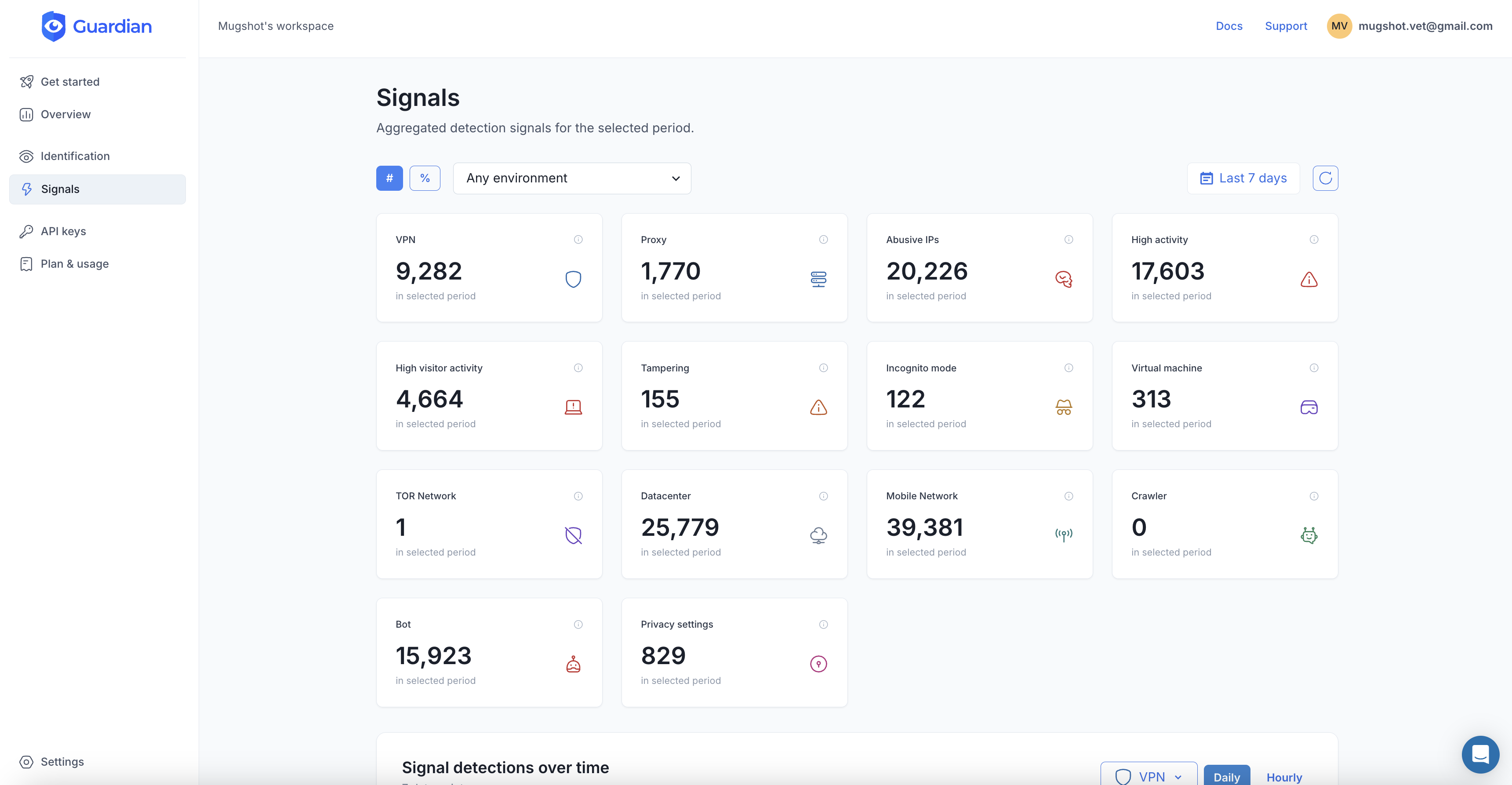
This is where you close the gap that IP-based defenses leave open. Device intelligence identifies the actual machine behind every login attempt using 70+ browser and hardware signals. Attackers can rotate IPs infinitely, but they cannot change their GPU renderer, audio stack, or canvas fingerprint between requests.
Guardian gives you this through a simple integration:
import { loadAgent } from "@guardianstack/guardian-js";

const guardian = await loadAgent({ siteKey: "YOUR_SITE_KEY" });
const { requestId } = await guardian.get();
On your backend, retrieve the full analysis:
import { createGuardianClient, isBot, isVPN }
  from "@guardianstack/guardianjs-server";

const client = createGuardianClient({
  secret: process.env.GUARDIAN_SECRET_KEY,
});
const event = await client.getEvent(requestId);
The response tells you:
- Bot detection: Is this an automated browser, headless tool, or script?
- VPN/proxy detection: Is this request routed through a residential proxy or VPN?
- Browser tampering: Is the visitor using an anti-detect browser to fake their fingerprint?
- Velocity signals: How many login attempts has this device made in the last 5 minutes, 1 hour, 24 hours?
- Visitor ID: A persistent identifier that stays stable across IP changes, cookie clears, and incognito sessions
This turns every login attempt from a blind guess (is this IP suspicious?) into an informed decision (is this device suspicious?).
4. Behavioral analysis
Real users and bots behave differently, even when the bot is using a residential IP and a real-looking browser:
- Velocity patterns: A human does not attempt 47 logins in an hour. Velocity checks flag login attempts that happen faster than any real user would type.
- Session anomalies: Legitimate users navigate to your login page, maybe visit your homepage first, type at human speed, and make occasional typos. Bots jump straight to the login endpoint with machine-perfect timing.
- Impossible travel: If the same device (identified by fingerprint) logs in from New York and then Sydney 10 minutes later, one of those sessions is not genuine. Guardian’s timezone mismatch detection catches this automatically.
- Device/account linking: When one device attempts to log into dozens of unrelated accounts, that is credential stuffing. When dozens of devices share the same automation fingerprint, that is a botnet. Device intelligence exposes both patterns.
5. Password hardening
You cannot control what passwords users choose, but you can make the worst choices impossible:
- Enforce a 12+ character minimum (length matters more than complexity rules)
- Check passwords against breach databases (like Have I Been Pwned) and block any that appear in known leaks
- Ban the top 10,000 most common passwords
- Encourage passphrases over complex short passwords
- Support and promote passkeys as the primary login method
Putting it together: a decision framework
When a login attempt arrives, run it through your layers:
Step 1: Rate check. Has this IP, account, or device exceeded thresholds? If yes, apply progressive delay or temporary block.
Step 2: Device analysis. Query Guardian for bot detection, proxy/VPN flags, tampering signals, and velocity. A clean device with no flags proceeds normally.
Step 3: Risk-based response.
- Clean device, known visitor, no flags: Allow login with standard authentication
- New device, low-risk signals: Require MFA or email verification
- Proxy detected, high velocity, or bot signals: Block or present a hard challenge
- Known malicious device (previous fraud, ban evasion): Block and alert your security team
Step 4: Post-login monitoring. Even after successful authentication, monitor the session for anomalies. A sudden change in device fingerprint or location mid-session can indicate session hijacking.
The cost of doing nothing
Global account takeover losses are projected to hit $17 billion in 2025. The average credential-based breach costs $4.67 million and takes 246 days to detect. 83% of organizations experienced at least one ATO incident in 2024, and 29% of US adults (77 million people) were personally affected.
Brute force attacks work because the economics favor attackers. Stolen credentials are cheap. Residential proxies are cheap. CAPTCHA solvers are cheap. The only way to change that equation is to make every login attempt identifiable at the device level, so rotating IPs and stolen passwords stop being enough.
Frequently asked questions
What is a brute force attack?
How common are brute force attacks?
Does rate limiting stop brute force attacks?
Can MFA prevent all brute force attacks?

Related articles

· 9 min read
Residential Proxies: How Attackers Hide Behind Real IPs
Residential proxies let fraudsters route traffic through real home IPs. Learn how they work, why IP blocking fails, and how to detect them.

· 13 min read
Click Farm Fraud: How to Detect and Stop Fake Traffic (2026)
Click farms drain ad budgets, pollute analytics, and fake engagement. Learn how to detect and block them with device intelligence.

· 13 min read
Device Farm Fraud: How to Detect and Shut Down Fake Traffic
Device farms power fake accounts, promotion abuse, and credential stuffing at scale. Learn how device intelligence detects and stops them.