Device Trust Without MDM: How to Secure BYOD in 2026

Piero Bassa
Founder & CEO
 Claude
  Perplexity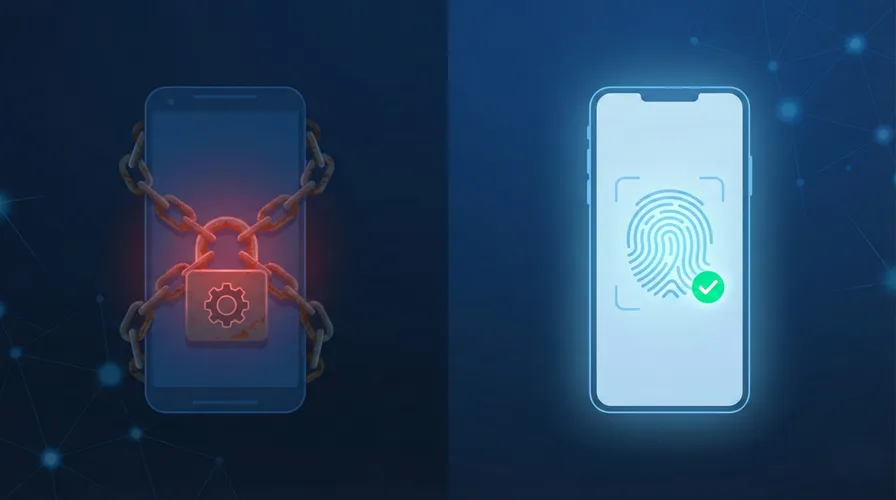
Every security team faces the same dilemma with BYOD. 95% of organizations allow personal devices at work. 67% of employees use personal devices for work whether they have permission or not. BYOD boosts productivity by 55% and employee satisfaction by 56%. Banning personal devices is not realistic.
But the security risk is quantified and documented. The 2025 Verizon DBIR found that 46% of credential-compromised systems were unmanaged devices. Users on unmanaged devices are 71% more likely to get infected. 48% of organizations have reported a breach linked to an unsecured personal device.
The traditional answer is MDM. Enroll every device, enforce policies, manage endpoints centrally. For company-owned devices, MDM works well. For personal devices, it does not work at all, because employees will not install it.
Device trust is the alternative. It provides the security verification of MDM without the software installation, privacy invasion, or employee resistance. Here is how it works, why it matters, and how to implement it.
Why MDM fails for personal devices
MDM was built for corporate-owned endpoints. Extending it to personal devices creates problems that most organizations cannot solve.
Employee resistance
MDM requires installing a management profile on the device. On iOS, this profile can grant IT the ability to see installed apps, enforce passcode policies, and remotely wipe the device. On Android, the capabilities are even broader. Employees know this.
A survey by N-able found that the top concern employees have about MDM on personal devices is privacy: they do not want their employer seeing personal apps, photos, messages, or browsing history. This is not paranoia. MDM profiles on some platforms genuinely provide this level of visibility.
The result is that employees refuse to enroll. They find workarounds: accessing corporate apps through a personal browser instead of the managed one, using web versions instead of native apps, or simply ignoring the MDM requirement and hoping no one notices.
Impractical for external users
Contractors, consultants, vendors, and temporary workers need access to corporate applications. Requiring them to install MDM on personal devices they own is a non-starter. Many contractor agreements explicitly prohibit installing employer software on personal devices.
For organizations with a significant contractor workforce (consulting firms, agencies, construction companies), MDM cannot cover a substantial portion of their user base.
Cost and overhead
MDM platforms charge per device. For an organization with 500 employees, each with a work laptop and a personal phone, that is 1,000 managed endpoints. At $5-15 per device per month, the annual cost ranges from $60,000 to $180,000, plus the IT overhead of managing enrollment, troubleshooting profile conflicts, and handling the help desk tickets that MDM inevitably generates.
For small and mid-sized organizations, this cost and complexity is disproportionate to the security benefit, especially when employees resist enrollment.
The partial coverage problem
In practice, MDM covers company-owned devices well and personal devices poorly. This creates a false sense of security. The managed devices are locked down. The personal devices (which account for 46% of credential compromises, according to the Verizon DBIR) are unprotected. The security model has a gap exactly where the risk is highest.
What device trust actually does
Device trust takes a different approach. Instead of controlling the device, it identifies it. Instead of requiring software, it uses the browser. Instead of accessing personal data, it reads hardware signals.
Browser-based fingerprinting
When a user visits a web application, the browser exposes characteristics of the underlying hardware: the GPU model and renderer, how the device processes canvas and WebGL rendering, audio processing behavior, screen dimensions and color depth, installed fonts, and dozens of other signals.
These signals are not personal data. They are technical characteristics of the machine. Combined, they create a fingerprint that identifies the device and browser combination with over 99% accuracy. The fingerprint persists across browser sessions, incognito mode, and cookie clears because it is derived from hardware, not stored data. A major browser update or switching browsers on the same machine can produce a new fingerprint, which triggers a one-time re-verification before being added to the user’s trusted list.
Zero installation
The entire fingerprinting process runs in the browser during the normal login flow. The user enters their credentials. In the background, the fingerprint is collected and sent to the server. No app download. No agent installation. No MDM profile. No permission prompt.
This is what makes device trust practical for BYOD. The employee does not need to do anything. They do not need to consent to software installation. They do not need to configure a profile. The security check happens invisibly.
Device recognition, not device control
Device trust does not enforce policies on the device. It does not push configurations, require passcode strength, or enable remote wipe. It answers a simpler question: “Is this a device we have seen before, and is it associated with this user?”
A trusted device (one whose fingerprint is linked to the user’s account) gets seamless access. An unknown fingerprint (from a new device, a new browser, or after a major browser update) gets challenged: additional verification, admin approval, or restricted access. After verification, the new fingerprint is added to the user’s trusted list, so each user accumulates a small set of trusted identifiers over time.
This model provides the key security benefit, knowing which devices are accessing your applications, without the privacy and usability costs of MDM.
How device trust compares to MDM
| Capability | MDM | Device Trust |
|---|---|---|
| Device identification | Yes | Yes |
| Requires software installation | Yes (agent/profile) | No (browser-based) |
| Works on personal devices | Poorly (employee resistance) | Yes (invisible to user) |
| Works for contractors/vendors | Rarely | Yes |
| Access to personal data | Potentially (apps, location) | No (hardware signals only) |
| Remote wipe | Yes | No |
| Policy enforcement (encryption, passcode) | Yes | No |
| Device risk signals (VPN, tampering, VM) | Limited | Yes |
| Cost per device | $5-15/month | Usage-based |
| Employee friction | High | None on trusted devices |
| Time to deploy | Weeks (enrollment rollout) | Hours (JavaScript integration) |
For company-owned devices where IT needs full control (enforcing encryption, pushing certificates, enabling remote wipe), MDM is the right tool. For personal devices where the goal is knowing what is connecting and blocking suspicious access, device trust is the practical answer.
Implementing device trust with Guardian
Guardian’s Employee Device Trust framework integrates into your existing login flow.
Add the fingerprint to your login page
import { loadAgent } from '@guardianstack/guardian-js';

const guardian = await loadAgent({
  siteKey: 'YOUR_SITE_KEY',
});

async function handleLogin(email, password) {
  const { requestId } = await guardian.get();

  return fetch('/api/auth/login', {
    method: 'POST',
    headers: { 'Content-Type': 'application/json' },
    body: JSON.stringify({ email, password, guardianRequestId: requestId }),
  });
}
Verify the device on the server
import {
  createGuardianClient,
  isTampering,
  isVPN,
  isBot,
} from '@guardianstack/guardianjs-server';

const client = createGuardianClient({
  secret: process.env.GUARDIAN_SECRET_KEY,
});

app.post('/api/auth/login', async (req, res) => {
  const { email, password, guardianRequestId } = req.body;

  const user = await authenticateUser(email, password);
  if (!user) return res.status(401).json({ error: 'Invalid credentials' });

  const event = await client.getEvent(guardianRequestId);
  const { visitorId } = event;
  const riskScore = assessDeviceRisk(event);

  // High risk: block regardless of trust status
  if (riskScore.isHighRisk) {
    await logSecurityEvent(user.id, visitorId, 'BLOCKED', riskScore.reasons);
    return res.status(403).json({ error: 'Access denied. Contact IT support.' });
  }

  // Check if device is trusted
  const trustedDevice = await db.trustedDevices.findFirst({
    where: { userId: user.id, visitorId, isActive: true },
  });

  if (!trustedDevice) {
    // Unknown device: challenge the user
    const challenge = await createDeviceChallenge(user, visitorId);
    return res.json({
      requiresVerification: true,
      challengeId: challenge.id,
      methods: ['email_verification', 'admin_approval'],
    });
  }

  // Trusted device: seamless access
  await db.trustedDevices.update({
    where: { id: trustedDevice.id },
    data: { lastSeenAt: new Date() },
  });

  return res.json({ success: true, token: generateSessionToken(user) });
});
Enroll new devices through verification
app.post('/api/auth/verify-device', async (req, res) => {
  const { challengeId, verificationCode, guardianRequestId } = req.body;

  const challenge = await db.deviceChallenges.findUnique({
    where: { id: challengeId },
  });

  if (!challenge || challenge.expiresAt < new Date()) {
    return res.status(400).json({ error: 'Verification expired' });
  }

  const isValid = await verifyCode(challenge, verificationCode);
  if (!isValid) {
    return res.status(401).json({ error: 'Invalid code' });
  }

  const event = await client.getEvent(guardianRequestId);

  await db.trustedDevices.create({
    data: {
      userId: challenge.userId,
      visitorId: event.identification.visitorId,
      deviceName: deriveDeviceName(event),
      enrolledAt: new Date(),
      enrolledBy: 'email_verification',
      lastSeenAt: new Date(),
      isActive: true,
    },
  });

  return res.json({
    success: true,
    token: generateSessionToken(
      await db.users.findUnique({ where: { id: challenge.userId } })
    ),
    message: 'Device trusted. You will not be asked again on this device.',
  });
});
Admin device management
// IT admin: view all devices for a user
app.get('/api/admin/users/:userId/devices', async (req, res) => {
  const devices = await db.trustedDevices.findMany({
    where: { userId: req.params.userId },
    orderBy: { lastSeenAt: 'desc' },
  });

  return res.json({ devices });
});

// IT admin: revoke a device (lost, stolen, or offboarding)
app.post('/api/admin/devices/:deviceId/revoke', async (req, res) => {
  await db.trustedDevices.update({
    where: { id: req.params.deviceId },
    data: { isActive: false, revokedAt: new Date(), revokedReason: req.body.reason },
  });

  // Invalidate all sessions from this device
  const device = await db.trustedDevices.findUnique({ where: { id: req.params.deviceId } });
  await db.sessions.deleteMany({
    where: { userId: device.userId, visitorId: device.visitorId },
  });

  return res.json({ success: true });
});
Deployment in practice
Phase 1: Monitor (Week 1-2)
Deploy the JavaScript agent and server-side integration in monitoring mode. Log every device fingerprint and trust status without blocking any access. This gives you a baseline: how many devices per user, how many unmanaged devices, and how many logins come from unknown devices.
Most organizations are surprised by what they find. The visibility alone is valuable.
Phase 2: Enroll (Week 3-4)
Enable device enrollment. On their next login, each user’s current device is automatically enrolled as trusted (with an email verification step). Users with multiple devices go through enrollment once per device.
This phase builds the trusted device database without disrupting workflows.
Phase 3: Enforce (Week 5+)
Enable enforcement. Unknown devices are challenged. High-risk devices are blocked. IT admins receive alerts for suspicious patterns.
Start with a soft enforcement policy (challenge unknown devices, allow after verification) before moving to hard enforcement (block unknown devices for high-sensitivity roles).
Phase 4: Lifecycle
Integrate device trust with employee lifecycle:
- Onboarding: Enroll devices during first login
- Role changes: Adjust device policies when employees change roles
- Offboarding: Revoke all trusted devices when employees leave
- Incident response: Revoke all devices for a user when compromise is suspected
The zero-trust connection
81% of organizations plan to adopt zero trust by 2026. But only 1% currently meet the full definition of zero-trust security. The gap between intention and implementation is enormous.
Device trust is one of the most practical steps toward zero trust because it addresses a specific, measurable gap: knowing what devices are accessing your applications. You do not need a full zero-trust architecture to benefit from device verification. You need a JavaScript tag on your login page and a server-side check on your authentication endpoint.
65% of organizations plan to replace VPN services within the year. As VPNs give way to identity-based access, the device becomes the last unverified factor. MFA verifies the user. Device trust verifies the machine. Together, they close the gap that session hijacking and credential theft exploit.
The $132 billion BYOD market is not shrinking. The 46% DBIR statistic is not improving. The choice is not between security and productivity. It is between device trust and hope.
Start your free trial to add device trust to your application without MDM.
Frequently asked questions
What is device trust?
What is the difference between device trust and MDM?
Can device trust work without installing software?
Is device fingerprinting a privacy concern for employees?
Does device trust replace MFA?
How do I get employees to accept device trust?

Related articles
· 9 min read
Account Sharing in SaaS: The Security Risk Nobody Talks About
One in three employees admits to sharing passwords. Learn how account sharing in enterprise SaaS creates security blind spots and how to detect it.
· 10 min read
Unmanaged Devices: The 46% Blind Spot in Your Security
The 2025 Verizon DBIR found 46% of credential leaks come from unmanaged devices. Learn how device trust secures BYOD without MDM.
· 6 min read
What Is Device Fingerprinting?
Device fingerprinting identifies visitors without cookies by combining browser and hardware signals into a unique ID. Here is how it works.