Session Hijacking: Why MFA Alone Cannot Protect Your SaaS Apps

Domenico Lorenti
Cloud Architect
 Claude
  Perplexity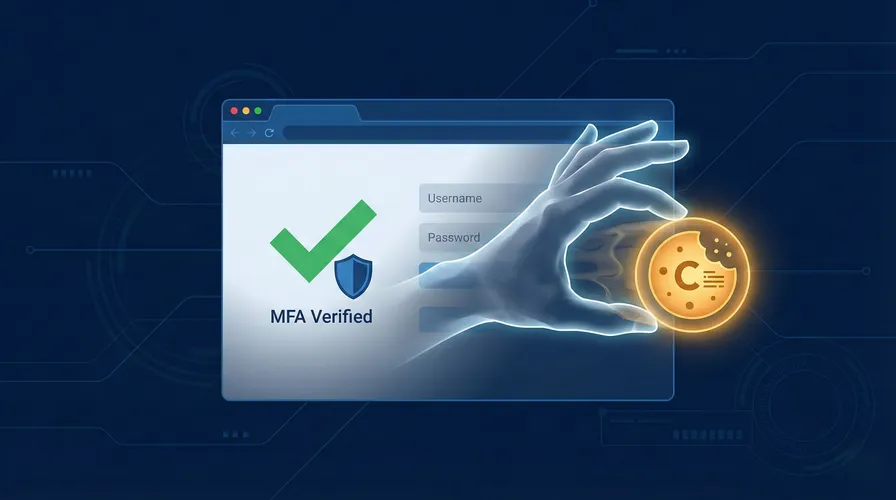
In 2025, credential theft surged 160%. Infostealer malware harvested 1.8 billion credentials and session cookies across 5.8 million devices. Over 17 billion stolen cookie records were found on dark web marketplaces. And 79% of business email compromise victims had multi-factor authentication correctly implemented.
MFA was supposed to be the answer to credential theft. For years, it was. But attackers have adapted. They no longer need to crack passwords or guess MFA codes. They steal the session token that gets created after the user has already authenticated, bypassing MFA entirely. Microsoft reports that 80% of MFA bypasses now happen through session token abuse.
This is not a theoretical risk. It is the primary method attackers use to access SaaS applications in 2025-2026. Here is how session hijacking works, why MFA fails to stop it, and what does.
How session hijacking actually works
When you log into a SaaS application and complete MFA, the server creates a session token (typically a browser cookie) that proves you are authenticated. Every subsequent request includes this token. The server checks the token, confirms the session is valid, and grants access without asking for credentials again.
Session hijacking steals that token. The attacker presents it to the same server from a different device. The server sees a valid session and grants access. No password needed. No MFA challenge. The attacker is in.
Adversary-in-the-middle phishing
The most common method uses real-time phishing proxies like EvilGinx and Modlishka. The attacker sends a phishing email with a link to a fake login page. But unlike traditional phishing, this page is not a static copy. It is a reverse proxy that sits between the victim and the real application.
The victim enters their username and password. The proxy forwards them to the real login page in real time. The real server sends an MFA challenge. The victim enters their code. The proxy forwards it. The server authenticates the session and returns a session token. The proxy captures the token and sends it to the attacker.
The entire process takes seconds. The victim sees a normal login flow and has no reason to suspect anything. The attacker now has a fully authenticated session token that works until it expires.
Infostealer malware
Infostealers like RedLine, Raccoon, and Vidar are malware specifically designed to extract stored credentials, browser cookies, and session tokens from infected devices. They spread through pirated software, malicious browser extensions, phishing attachments, and compromised websites.
In 2025, infostealers compromised 5.8 million devices. The harvested data is packaged into “stealer logs” and sold on dark web marketplaces. A complete set of credentials, cookies, and browser fingerprint data sells for as little as $10.
For attackers, this is a supply chain. They buy logs in bulk, filter for corporate email domains, and use the stolen session tokens to access SaaS applications. SpyCloud found that 54% of ransomware victims had domain credentials on infostealer log marketplaces before the attack happened.
Token theft from compromised endpoints
Even without malware, attackers who gain access to an endpoint (through a vulnerability, misconfiguration, or social engineering) can extract session tokens directly from the browser’s cookie storage. Browser developer tools, memory dumps, and local storage reads all expose active session tokens.
Once extracted, the token can be imported into any browser on any device. The attacker does not need the user’s password. They do not need their MFA device. They have something better: a token that says authentication already happened.
Why MFA does not stop this
The fundamental limitation of MFA is scope. MFA protects the authentication event. It does not protect the session that follows.
The authentication-session gap
MFA verifies identity at login. After login, the session token takes over. That token is a bearer credential: whoever holds it gets access, regardless of how they obtained it. MFA has no mechanism to verify that the entity using the token is the same entity that completed authentication.
This is not a flaw in any specific MFA implementation. It is a structural limitation of the authentication model. The session token is designed to avoid requiring re-authentication on every request. That convenience is also its vulnerability.
Real-time phishing defeats every MFA type
Adversary-in-the-middle proxies intercept credentials and MFA tokens simultaneously. They defeat:
- SMS codes intercepted as the victim enters them
- Email codes captured by the proxy in real time
- TOTP app codes (Google Authenticator, Authy) forwarded before the 30-second window expires
- Push notifications approved by the victim who believes they are logging into the real site
The only MFA method that resists AiTM attacks is hardware security keys with FIDO2/WebAuthn, because authentication is bound to the legitimate domain. But adoption remains low. Most organizations still rely on TOTP or push notifications.
Post-authentication blindness
Even if the authentication event is secure, the session that follows is unmonitored by MFA. An attacker using a stolen session token never triggers an MFA challenge because the application sees an existing authenticated session, not a new login attempt.
This means the window of vulnerability is the entire session lifetime. If sessions last 24 hours (common for SaaS applications), the attacker has 24 hours of access after a single successful token theft.
The scale of the problem
The numbers in 2025-2026 indicate this is not an emerging threat. It is the dominant attack vector.
Stolen passwords and session cookies now figure in 86% of breaches. The Verizon 2025 Data Breach Investigations Report found that 46% of systems with compromised corporate credentials were unmanaged devices, meaning they had no endpoint protection, no MDM, and no device posture verification.
Compromised sessions cost organizations an average of $4.45 million per breach, according to AppOmni. The average cost of a data breach in the United States reached $10.22 million in 2025.
83% of organizations reported at least one insider-related security incident in the past year. It takes an average of 81 days to detect and contain an insider threat incident. Every day of undetected access increases the blast radius.
What device trust adds to the defense
Device trust addresses the gap that MFA leaves open: it verifies not just who is authenticating, but what device they are authenticating from.
The principle
When a user logs in and completes MFA, the system also records the device fingerprint of the machine they used. This fingerprint is tied to the session. If the session token later appears from a different device, the mismatch is detected and the session is invalidated or challenged.
An attacker who steals a session token through phishing or an infostealer gets a valid token. But they present it from their own machine: a different laptop, a different browser, a different hardware profile. The device fingerprint does not match. The application blocks access despite the valid token.
Phishing steals credentials, not devices.
How it works with Guardian
Guardian’s device fingerprinting collects 70+ signals from each visitor’s hardware and browser to create a stable visitorId. This ID survives cookie clears and incognito mode because it is derived from hardware characteristics, not stored data. A major browser update or switching browsers can generate a new visitorId on the same device, which triggers a one-time re-verification. After verification, the new identifier is added to the user’s trusted device list alongside previous ones.
Here is how to integrate device trust into a SaaS login flow.
Collect the device fingerprint at login
import { loadAgent } from '@guardianstack/guardian-js';

const guardian = await loadAgent({
  siteKey: 'YOUR_SITE_KEY',
});

async function handleLogin(email, password) {
  const { requestId } = await guardian.get();

  const result = await fetch('/api/auth/login', {
    method: 'POST',
    headers: { 'Content-Type': 'application/json' },
    body: JSON.stringify({ email, password, guardianRequestId: requestId }),
  });

  return result.json();
}
Verify the device on the server
import {
  createGuardianClient,
  isBot,
  isTampering,
  isVPN,
} from '@guardianstack/guardianjs-server';

const client = createGuardianClient({
  secret: process.env.GUARDIAN_SECRET_KEY,
});

app.post('/api/auth/login', async (req, res) => {
  const { email, password, guardianRequestId } = req.body;

  const user = await authenticateUser(email, password);
  if (!user) return res.status(401).json({ error: 'Invalid credentials' });

  const event = await client.getEvent(guardianRequestId);
  const { visitorId } = event;

  // Check if this is a known trusted device for this user
  const trustedDevice = await db.trustedDevices.findFirst({
    where: { userId: user.id, visitorId, isActive: true },
  });

  // Assess device risk signals
  if (isBot(event) || isTampering(event)) {
    await logSecurityEvent(user.id, visitorId, 'LOGIN_BLOCKED');
    return res.status(403).json({ error: 'Access denied' });
  }

  // Unknown device: require additional verification
  if (!trustedDevice) {
    const challenge = await createDeviceChallenge(user, visitorId);
    return res.json({
      requiresVerification: true,
      challengeId: challenge.id,
    });
  }

  // Trusted device: grant access and update last seen
  await db.trustedDevices.update({
    where: { id: trustedDevice.id },
    data: { lastSeenAt: new Date() },
  });

  const token = generateSessionToken(user);
  return res.json({ success: true, token });
});
Validate the device on every sensitive action
// Middleware: re-check device on sensitive operations
async function validateDeviceTrust(req, res, next) {
  const { guardianRequestId } = req.body;
  const userId = req.user.id;

  const event = await client.getEvent(guardianRequestId);
  const { visitorId } = event;

  const trustedDevice = await db.trustedDevices.findFirst({
    where: { userId, visitorId, isActive: true },
  });

  if (!trustedDevice || isTampering(event)) {
    await invalidateSession(req.sessionId);
    return res.status(403).json({
      error: 'Device verification failed',
      message: 'Your session has been terminated. Please log in again.',
    });
  }

  next();
}
What this stops in practice
Phishing with EvilGinx: The attacker captures the victim’s password, MFA token, and session cookie through a reverse proxy. They import the cookie into their browser and access the SaaS application. Guardian detects a different visitorId on the session. Access is blocked. The victim’s session is invalidated.
Infostealer logs: An attacker buys a stealer log containing an employee’s session cookies and browser data. They load the cookies into a new browser profile. Guardian’s device fingerprint does not match the original device. The application requires re-authentication from a trusted device.
Credential sharing: An employee shares their login with an unauthorized person (a contractor, a family member, a former colleague). The unauthorized person logs in from a different device. Guardian flags the unknown device and requires verification or blocks access based on the risk policy.
Building a defense against session hijacking
Device trust is the critical addition, but it works best as part of a layered strategy.
-
Deploy device fingerprinting at authentication. Record the
visitorIdat every login. Store a list of trusted identifiers per user (a single user may accumulate several over time as browsers update). Flag any login from an unrecognized identifier. -
Implement continuous session validation. Do not just check the device at login. Re-validate on sensitive actions: data exports, configuration changes, financial transactions, and administrative operations. This catches attackers who hijack sessions mid-use.
-
Shorten session lifetimes. The longer a session token is valid, the longer an attacker has to use a stolen one. Reduce session timeouts for high-privilege accounts. Require re-authentication for sensitive operations regardless of session age.
-
Monitor for device anomalies. Browser tampering, VPN usage, virtualization, and incognito mode are risk signals that indicate the device environment is being manipulated. Apply enhanced scrutiny when these signals appear, even on otherwise trusted devices.
-
Enable device management for IT admins. Give administrators the ability to see all trusted devices per user, revoke specific devices immediately (for lost or compromised devices), and revoke all devices during employee offboarding or account compromise.
-
Keep MFA in place. Device trust does not replace MFA. It covers the gap MFA leaves. Together, they protect both the authentication event and the session that follows. Removing either layer weakens the defense.
The math on inaction
The average SaaS breach costs $4.45 million. 86% of breaches involve stolen credentials. 80% of MFA bypasses use session token theft. MFA alone is leaving the most common attack vector unaddressed.
Organizations that add device-level verification reduce unauthorized access incidents. A 2024 CyberEdge survey found that 68% of financial firms reported lower unauthorized access after integrating device fingerprinting. 96-99% of recognized devices pass through without additional verification prompts, meaning legitimate users see no friction.
The cost of device trust is a fraction of the cost of a single breach. The cost of not having it is measured in stolen data, regulatory fines, and the 81 days it takes to detect that someone has been inside your systems using a stolen session.
Start your free trial to add device trust to your authentication flow.
Frequently asked questions
What is session hijacking?
How does session hijacking bypass MFA?
What is an adversary-in-the-middle phishing attack?
What is infostealer malware?
Can device fingerprinting prevent session hijacking?
Does device trust replace MFA?

Related articles
· 11 min read
Bonus Abuse in iGaming: How It Works and How to Stop It (2026)
Bonus abuse accounts for 63.8% of iGaming fraud. Learn how fraudsters exploit promotions and how device intelligence detects them before they cash out.
· 13 min read
Click Farm Fraud: How to Detect and Stop Fake Traffic (2026)
Click farms drain ad budgets, pollute analytics, and fake engagement. Learn how to detect and block them with device intelligence.

· 13 min read
Device Farm Fraud: How to Detect and Shut Down Fake Traffic
Device farms power fake accounts, promotion abuse, and credential stuffing at scale. Learn how device intelligence detects and stops them.