Unmanaged Devices: The 46% Blind Spot in Your Security

Piero Bassa
Founder & CEO
 Claude
  Perplexity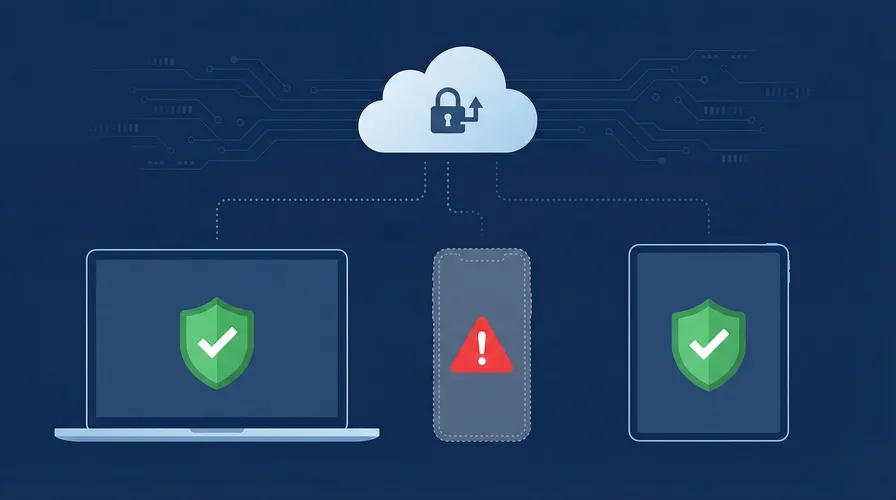
The 2025 Verizon Data Breach Investigations Report contained a number that should alarm every security team: 46% of systems with compromised corporate credentials were unmanaged devices. Not servers with misconfigured firewalls. Not endpoints that missed a patch. Unmanaged devices. Personal laptops, home desktops, and phones that connect to corporate SaaS applications with nothing more than a username and password.
At the same time, 1Password found that 47% of companies allow employees to access corporate resources on unmanaged devices, authenticating via credentials alone. No endpoint protection. No MDM. No device posture verification. Just a password and, if they are lucky, an MFA prompt that attackers routinely bypass with stolen session tokens.
The BYOD market is projected to reach $132 billion in 2025. 95% of organizations allow some form of personal devices at work. 67% of employees use personal devices for work regardless of whether they have permission. The unmanaged device problem is not going away. The question is how to secure these devices without fighting the trend.
Why unmanaged devices are the biggest blind spot
Managed devices have security controls: endpoint detection, disk encryption, automatic patching, firewall rules, and MDM profiles. IT teams can verify these devices meet baseline security standards before granting access to corporate applications.
Unmanaged devices have none of this. And they are everywhere.
The numbers
Microsoft’s Digital Defense Report found that users on unmanaged devices are 71% more likely to get infected than users on managed endpoints. 61% of IT security leaders say remote workers have caused a data breach. 70% of successful breaches start at the endpoint.
The Ponemon Institute reports that 83% of organizations experienced at least one insider-related security incident in the past year. The cost per credential theft incident, the most expensive category, reached $779,797 on average. And 48% of organizations have already experienced a data breach linked to an unsecured personal device.
Where the risk lives
The typical scenario is straightforward. An employee logs into Salesforce, Slack, or an internal admin panel from their personal laptop at home. That laptop has no endpoint protection, runs an outdated OS, and has browser extensions that the IT team has never reviewed. Infostealer malware on the device silently extracts stored credentials and session cookies. Those credentials end up on a dark web marketplace. An attacker buys them for $10 and logs into the company’s SaaS application.
The company never sees the breach coming because they have no visibility into the device where the compromise started.
The hybrid work amplifier
Remote and hybrid work have expanded the unmanaged device surface dramatically. Employees work from home offices, coffee shops, coworking spaces, and airports. They switch between personal phones, family tablets, and home desktops. Each device is a potential entry point that the organization cannot see or control.
91% of cybersecurity professionals reported an increase in cyber attacks due to remote working. Employees are 85% more likely today to leak files than they were pre-COVID, according to Varonis. The perimeter has dissolved, and unmanaged devices are on the wrong side of it.
Why MDM is not the answer for personal devices
The obvious solution is MDM: enroll every device, enforce policies, and manage endpoints centrally. For company-owned devices, this works well. For personal devices, it fails.
The privacy problem
MDM requires installing a management profile on the device. Depending on the platform, this can grant IT visibility into installed apps, browsing history, location data, photos, and personal files. Employees know this, and they resist it.
The pushback is not irrational. An employee’s personal phone contains their banking apps, health data, personal messages, and photos. Installing a corporate MDM profile on that device means accepting that their employer has some level of access to that information. Most employees will not accept that tradeoff.
The enforcement gap
When employees refuse MDM on personal devices, organizations face a choice: block personal device access entirely (reducing productivity and increasing workarounds) or allow unmanaged access and accept the risk. Most choose the latter. That is why 47% of companies allow credential-only access from unmanaged devices.
The result is a two-tier security model. Managed devices are protected. Personal devices are not. And the 46% of credential leaks from unmanaged devices shows exactly where that gap leads.
The contractor and vendor problem
MDM becomes even less practical with external users. Contractors, consultants, vendors, and temporary workers regularly need access to corporate applications. Requiring them to install MDM on their personal devices is impractical and often contractually impossible. Yet their access is no less risky than employee access.
Device trust: security without MDM
Device trust solves the unmanaged device problem through a different approach. Instead of controlling the device, it identifies the device. Instead of installing software, it fingerprints the hardware through the browser. Instead of invading privacy, it collects only the signals needed to recognize the device.
How it works
When an employee logs into a SaaS application, device fingerprinting runs in the browser and collects 70+ signals from the hardware and software stack: GPU renderer, canvas rendering, audio processing, WebGL output, screen properties, and more. These signals create a stable identifier (a visitorId) for that device and browser combination.
The first time an employee logs in from a new device, the system records the fingerprint and associates it with their account. On subsequent logins from the same device and browser, the fingerprint matches and access is granted silently. If a login comes from an unknown fingerprint, the system challenges the user, requires additional verification, or blocks access entirely. Occasionally, a major browser update or a switch from one browser to another on the same machine will generate a new visitorId. In that case, the employee goes through a one-time re-verification and the new identifier is added to their trusted list.
No software installation. No MDM profile. No access to personal data. The employee’s experience is frictionless on their trusted devices and protected on everything else.
Risk signals beyond identity
Device fingerprinting detects more than just the device itself. Guardian’s Smart Signals identify:
- Browser tampering indicating anti-detect browsers or fingerprint spoofing
- VPN usage that may indicate the connection is being routed through an anonymizing service
- Virtualization environments (VMs, emulators) that may indicate an unusual access pattern
- Incognito mode which prevents cookie-based session tracking
- Bot activity indicating automated rather than human access
These signals feed into a risk score. A known device with no risk signals passes through instantly. An unknown device with VPN and browser tampering triggers a block.
Implementing device trust with Guardian
Guardian’s Employee Device Trust framework provides the integration pattern.
Add device fingerprinting to your login page
import { loadAgent } from '@guardianstack/guardian-js';

const guardian = await loadAgent({
  siteKey: 'YOUR_SITE_KEY',
});

async function handleLogin(email, password) {
  const { requestId } = await guardian.get();

  const result = await fetch('/api/auth/login', {
    method: 'POST',
    headers: { 'Content-Type': 'application/json' },
    body: JSON.stringify({ email, password, guardianRequestId: requestId }),
  });

  return result.json();
}
Enforce device trust on the server
import {
  createGuardianClient,
  isTampering,
  isVPN,
} from '@guardianstack/guardianjs-server';

const client = createGuardianClient({
  secret: process.env.GUARDIAN_SECRET_KEY,
});

app.post('/api/auth/login', async (req, res) => {
  const { email, password, guardianRequestId } = req.body;

  const user = await authenticateUser(email, password);
  if (!user) return res.status(401).json({ error: 'Invalid credentials' });

  const event = await client.getEvent(guardianRequestId);
  const { visitorId } = event;

  // Check if this device is trusted for this user
  const trustedDevice = await db.trustedDevices.findFirst({
    where: { userId: user.id, visitorId, isActive: true },
  });

  // High risk: block
  if (isTampering(event)) {
    await logSecurityEvent(user.id, visitorId, 'BLOCKED_TAMPERING');
    return res.status(403).json({ error: 'Access denied' });
  }

  // Unknown device: challenge
  if (!trustedDevice) {
    const challenge = await createDeviceChallenge(user, visitorId);
    return res.json({
      requiresVerification: true,
      challengeId: challenge.id,
      methods: ['admin_approval', 'email_verification'],
    });
  }

  // Trusted device: grant access
  await db.trustedDevices.update({
    where: { id: trustedDevice.id },
    data: { lastSeenAt: new Date() },
  });

  return res.json({ success: true, token: generateSessionToken(user) });
});
Tiered access based on device trust
Not every device needs the same access level. Device trust supports a graduated model:
- Trusted managed device: Full access to all applications and data.
- Trusted personal device: Access to standard applications. Restricted from sensitive data exports, admin functions, and financial operations.
- Unknown device, verified user: Read-only access or limited functionality. The user can see their dashboard but cannot download data or make changes.
- High-risk device (tampering, VPN, VM): Blocked entirely with a prompt to use a trusted device.
This model lets employees work from personal devices without granting the same level of access they would have on a managed endpoint. The security posture matches the device posture.
Who needs this most
The unmanaged device problem is not limited to tech companies with remote engineering teams. It affects every organization where employees access cloud applications from personal devices.
Schools and education
Teachers and administrators access student information systems, grading platforms, and email from personal laptops and phones. Student records (FERPA-protected data) are accessed from devices that the school district has never seen. Device trust flags unknown devices accessing student PII and requires verification.
Healthcare
Administrative staff, billing coordinators, and case managers access patient portals and scheduling systems from personal devices. HIPAA compliance requires controlling access to patient data, but MDM on personal devices is impractical for a workforce that includes part-time staff, rotating nurses, and contract workers.
Professional services
Accountants, lawyers, and consultants access client financial data, legal documents, and confidential business information from personal devices. Client data protection is both a regulatory obligation and a business requirement. Device trust ensures that sensitive client portals are accessed only from recognized devices.
Construction and logistics
Project managers access bid documents, contracts, and payroll systems from phones and tablets on job sites. Dispatchers and warehouse staff use personal devices to manage fleet and inventory systems. These roles are mobile by nature, making MDM impractical but device security critical.
A practical deployment plan
-
Start with visibility. Deploy device fingerprinting in monitoring mode. Do not block anything. For two weeks, collect data on which devices are accessing your applications, how many are unmanaged, and which users have multiple devices.
-
Identify your risk surface. The monitoring data will show the gap between what you expected and what is actually happening. Most organizations are surprised by the number of unmanaged devices with active sessions.
-
Enroll trusted devices. For each user, register their current devices as trusted. This can happen automatically during their next login with a verification step (email confirmation or admin approval).
-
Set policies by role. High-sensitivity roles (finance, HR, admin) get stricter device requirements. Standard roles get lighter policies. Contractors and external users get the most restricted access tier.
-
Enable alerting. Notify IT admins when a high-risk login attempt occurs: unknown device on a privileged account, browser tampering detected, or an unusually high number of new devices in a short period.
-
Integrate with offboarding. When an employee leaves, revoke all their trusted devices immediately. This ensures that even if they retain session tokens or cached credentials, access from their devices is blocked.
The 46% is a choice
Every organization that allows credential-only access from unmanaged devices is accepting the risk that the 2025 Verizon DBIR quantified. 46% of compromised credential systems are unmanaged. That is not a statistic about other companies. It is a probability about yours.
Device trust does not eliminate personal devices from the workplace. It makes them visible, verifiable, and controllable without the privacy tradeoffs and employee friction of MDM. The devices do not change. The visibility does.
Start your free trial to see which devices are accessing your applications today.
Frequently asked questions
What is an unmanaged device?
Why are unmanaged devices a security risk?
What is the difference between device trust and MDM?
Can device trust work without installing software on the device?
How does device trust help with BYOD security?
What percentage of data breaches involve unmanaged devices?

Related articles
· 9 min read
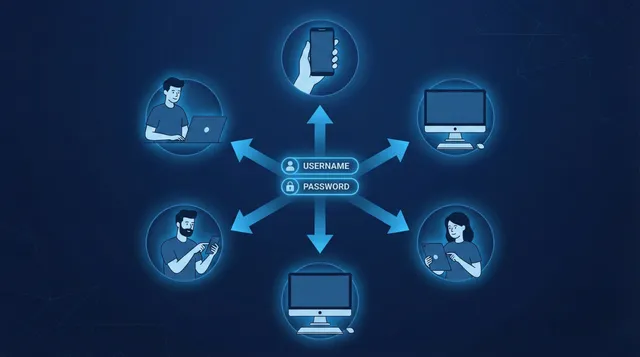
Account Sharing in SaaS: The Security Risk Nobody Talks About
One in three employees admits to sharing passwords. Learn how account sharing in enterprise SaaS creates security blind spots and how to detect it.
· 10 min read
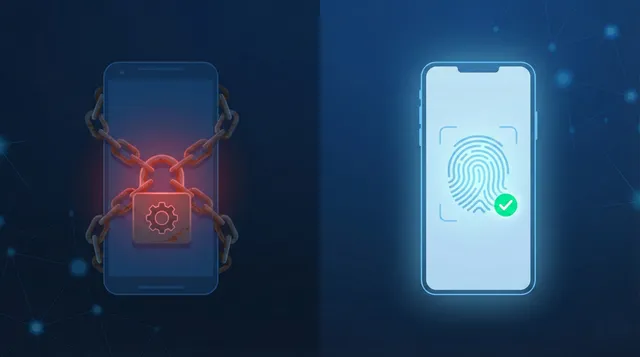
Device Trust Without MDM: How to Secure BYOD in 2026
95% of organizations allow BYOD, but employees refuse MDM on personal devices. Learn how device trust provides security without software installation.
· 6 min read
What Is Device Fingerprinting?
Device fingerprinting identifies visitors without cookies by combining browser and hardware signals into a unique ID. Here is how it works.