Bot Detection: How to Block Bad Bots in 2026

Piero Bassa
Founder & CEO
 Claude
  Perplexity
In 2024, bots crossed a threshold: for the first time in a decade, automated traffic surpassed human traffic on the internet. Imperva reported that bots generated 51% of all web requests, and the majority were not friendly search engine crawlers. They were bad bots: scripts designed to scrape, steal, spam, and exploit. Heading into 2026, the problem is only getting worse as AI-powered automation tools make it cheaper and easier than ever to deploy sophisticated bots at scale.
If you run a website, these bots are already hitting it. They test stolen credentials against your login page. They extract your pricing and content. They flood your forms with junk. They pollute your analytics so badly that you cannot tell what your real users are doing.
Most of this happens silently. Your servers respond. Your bandwidth gets consumed. And unless you are specifically looking for it, you might never notice until the damage shows up in your chargeback rates, your support queue, or your monthly infrastructure bill.
Bot detection is the practice of identifying this automated traffic and separating it from real human visitors. Done well, it is invisible to your actual users and devastating to the bots.
Not all bots are bad
Before we go further, an important distinction. Not every bot is your enemy.
Good bots serve legitimate purposes:
- Search engine crawlers (Googlebot, Bingbot) index your pages so people can find you
- Monitoring tools check uptime and performance
- Feed readers pull RSS and content updates
- SEO auditors help you find and fix technical issues
Good bots typically identify themselves in their user agent string, respect your robots.txt rules, and crawl at reasonable rates. You want these on your site.
Bad bots are the problem. They disguise themselves, ignore your rules, and operate at a scale designed to exploit your systems. The rest of this article is about them.
What bad bots actually do
The damage depends on your business, but here are the most common attack patterns.
Credential stuffing
An attacker takes a list of username/password combinations leaked from another breach and tests them against your login page. Automated tools can try thousands of combinations per minute. When they find a match, they drain accounts, steal stored payment methods, or resell access.
This is the most financially destructive bot attack for most businesses. Credential stuffing losses have exceeded $6 billion annually and continue to grow as more breached credentials circulate online.
Web scraping
Bots systematically extract content, pricing, inventory levels, or product data from your site. Competitors use this to undercut your prices in real time. Aggregators republish your content without permission. In regulated industries like travel or financial services, unauthorized scraping can create compliance issues.
Inventory hoarding and scalping
Bots add high-demand items to shopping carts faster than any human can click. They hold inventory to create artificial scarcity, then resell at inflated prices. Sneaker drops, concert tickets, and GPU launches are the textbook examples, but it happens in any market with limited supply and high demand.
Form spam and fake accounts
Automated scripts flood sign-up forms, comment sections, and contact forms with junk data. They create fake accounts at scale to abuse free trials, exploit referral programs, or launder fraud through your platform.
Ad fraud and analytics pollution
Click bots inflate ad metrics, draining your ad budget without generating real engagement. Even if you do not run ads, bot traffic skews your analytics, making it harder to understand actual user behavior and make informed business decisions.
DDoS and application-layer attacks
Volumetric attacks aim to overwhelm your infrastructure. But the more subtle (and increasingly common) application-layer attacks target specific endpoints like search, checkout, or API routes that are expensive to process. A relatively small number of requests can bring a service down if they hit the right targets.
Signs your site has a bot problem
You do not always need sophisticated tooling to spot the first signs of bot traffic. These red flags in your analytics and server logs can point to automated visitors:
- Sudden traffic spikes from unusual sources. A surge in visits from data center IPs, cloud hosting providers, or geographic regions you do not normally serve often signals a botnet. Real user traffic rarely jumps 10x overnight from a single region.
- High bounce rates with near-zero session duration. If large portions of your traffic land on a page and leave within milliseconds, something is crawling your pages without reading them. Humans do not behave this way.
- Strange conversion patterns. Seeing hundreds of newsletter signups, account creations, or form submissions with little matching engagement on the rest of the site? Bots fill forms programmatically, often with repetitive or nonsensical data.
- Impossible metrics. Page views in the billions, sessions from browser versions that do not exist yet, or traffic from operating systems that represent 0.001% of the market. These irrational data points signal bots pretending to be real users.
- Your content appearing elsewhere. If you find your product descriptions, articles, or pricing data copied verbatim on competitor or aggregator sites, scraping bots are harvesting your pages.
- Login failure spikes. A sudden increase in failed authentication attempts, especially at odd hours or from distributed IPs, is the signature of credential stuffing.
If any of these look familiar, you have bot traffic. The question is how much, and what it is doing.
Why traditional defenses fail
Most teams start with one of these approaches. None of them hold up against modern bots.
IP blocking
Blocking known bad IPs sounds straightforward, but today’s bots rotate through millions of residential proxy IPs. Block one, and the next request comes from a completely different address. Residential proxies are particularly insidious because the IP belongs to a real household, making it nearly impossible to block without catching legitimate users.
Rate limiting
Setting request thresholds helps with brute-force attacks, but sophisticated bots throttle themselves to stay under your limits. They spread traffic across thousands of IPs and mimic human pacing. By the time a single IP triggers a rate limit, the bot has already accomplished what it came to do.
User agent filtering
Blocking known bot user agents catches only the laziest scripts. Any serious bot spoofs its user agent to match Chrome, Safari, or Firefox. This takes one line of code to do and defeats user agent checks entirely.
CAPTCHAs
CAPTCHAs were designed to be hard for machines and easy for humans. In 2026, neither is true. AI-powered solving services break most CAPTCHAs in seconds for fractions of a cent. Human CAPTCHA farms offer even higher solve rates. Large language models and vision models have made automated solving faster and cheaper than ever. Meanwhile, CAPTCHAs add friction that frustrates real users, hurts conversion rates, and creates accessibility barriers.
CAPTCHAs still raise the cost of an attack slightly, but they are no longer a reliable detection mechanism on their own.
How modern bot detection works
Effective bot detection does not rely on any single signal. It layers multiple detection techniques so that bypassing one layer still leaves several others in place. Here are the core techniques.
Device fingerprinting
Every browser exposes dozens of configuration details through standard web APIs: screen resolution, GPU renderer, installed fonts, audio processing characteristics, canvas rendering output, and more. Collected together, these signals form a fingerprint that is unique to each device.
This matters for bot detection because automated tools leave fingerprints that look fundamentally different from real browsers. A headless Chrome instance running in a data center has a distinct canvas output, a missing or inconsistent set of fonts, and hardware characteristics that do not match what its user agent claims.
Device fingerprinting also enables persistent identification. Even if a bot clears cookies, rotates IPs, or switches user agents between requests, its device fingerprint stays the same. You can link all of those “different” requests back to the same source.
TLS fingerprinting
When a browser connects to your server over HTTPS, the TLS handshake reveals which cipher suites, extensions, and protocol versions the client supports, and in what order. Real browsers have well-known TLS fingerprints (often called JA3 or JA4 fingerprints) that are consistent across millions of users.
Bots using HTTP libraries like requests, curl, or custom Go clients produce TLS fingerprints that look nothing like a real browser. Even bots running headless Chrome inside frameworks like Puppeteer or Playwright sometimes leak non-standard TLS behavior depending on how they are configured.
This is one of the hardest signals for bot operators to fake, because changing TLS behavior requires modifying the networking stack at a low level.
JavaScript environment analysis
A real browser has a rich, consistent JavaScript environment: standard APIs, expected object prototypes, specific error behaviors, and thousands of subtle implementation details. When a bot runs in a modified or emulated environment, inconsistencies emerge.
For example:
- Headless browsers may lack certain
navigatorproperties or have them set to contradictory values - Automation frameworks inject global variables (
__selenium_unwrapped,webdriver,_phantom) that detection scripts can check - Overridden functions (like
Date.now()orMath.random()) behave differently when they have been tampered with - The
chromeobject exists in real Chrome but may be missing or incomplete in headless variants
Detection scripts probe hundreds of these environmental signals to build a confidence score for whether the runtime environment is genuine.
Behavioral analysis
Humans and bots interact with web pages differently. Humans move the mouse in curved, imprecise paths. They scroll at variable speeds. They pause to read. They make typos. Bots, even sophisticated ones, struggle to replicate this organic randomness at every interaction point.
Behavioral analysis tracks:
- Mouse movements: Trajectory curves, acceleration, micro-corrections
- Scrolling: Variable speed, natural pauses, direction changes
- Keystrokes: Timing rhythm, realistic errors and corrections
- Page interaction timing: Time between load and first click, dwell time per section
- Form completion: Humans skip optional fields, make typos, and tab between inputs at inconsistent speeds. Bots fill every field instantly with data that often follows predictable patterns.
- Navigation flow: The sequence and timing of pages visited across a session
A human might spend 30 seconds reading a product page before clicking “Add to Cart.” A bot clicks in 200 milliseconds. Even when bots add artificial delays, the statistical distribution of their timing never quite matches human randomness.
Honeypots
Honeypots are invisible traps embedded in your pages that only bots interact with. A common implementation is a hidden form field: it is present in the HTML but styled so humans never see it. A real visitor will never fill it in. A bot parsing the DOM will.
Other honeypot techniques include:
- Hidden links that lead to monitoring endpoints (only crawlers follow them)
- Invisible
<input>fields with enticing names likeemail2orurlthat attract bot form-fillers - Fake API endpoints listed in your HTML source that legitimate users would never call
Honeypots are simple to implement, add zero friction for real users, and catch a surprising number of automated scripts. They are not enough on their own, but they are an excellent early signal in a layered detection system.
HTTP header and request analysis
Every HTTP request carries headers that reveal information about the client. Real browsers send a specific, predictable set of headers in a consistent order. Bots often get this wrong in subtle ways:
- Missing or extra headers that real browsers always (or never) include
- Header ordering that does not match the claimed browser
- Inconsistent
Accept-Languagevalues that contradict the claimed locale - Missing or malformed
Sec-CH-UAclient hints
The combination of all request-level signals creates another layer that complements client-side detection.
Challenge-response verification
When passive detection is not conclusive enough, active challenges provide a definitive answer. These are not CAPTCHAs. Modern challenge-response systems are invisible:
- Proof-of-work challenges require the client to solve a computational puzzle, trivial for a single browser but expensive at bot-farm scale
- JavaScript execution challenges require the client to run specific code and return correct results, verifying a real JS runtime
- Interaction challenges present micro-tasks (like a subtle animation) that require genuine browser rendering
The key is that legitimate users never see these challenges. They happen silently in the background. Only suspicious traffic gets tested.
Building a bot detection strategy
No single technique catches every bot. The most resilient detection systems combine multiple layers and continuously adapt. Here is how to think about building yours.
Start with visibility
You cannot block what you cannot see. Before deploying any blocking rules, instrument your traffic to understand what is hitting your site. Look at:
- Traffic patterns by time of day and geography
- Request rates per IP, per session, and per device fingerprint
- JavaScript execution rates (bots that do not execute JS stand out immediately)
- Conversion funnels (bot traffic creates huge dropoff anomalies)
This baseline tells you how much of your traffic is automated and where it concentrates.
Protect high-risk entry points first
Not every page on your site needs the same level of protection. Focus detection efforts on the endpoints where bots cause the most damage:
- Login and authentication pages: Credential stuffing target
- Checkout and payment flows: Payment fraud and card testing
- Account registration: Fake account creation and promo abuse
- Search and pricing pages: Scraping and competitive intelligence
- APIs: Direct programmatic access bypasses your UI entirely
Prioritizing these high-value targets gives you the most protection for the least implementation effort.
Layer your defenses
Effective detection stacks multiple signals together:
- Network layer: TLS fingerprinting + IP reputation + header analysis
- Device layer: Browser fingerprinting + JavaScript environment checks
- Behavioral layer: Mouse, scroll, keystroke, and form-fill analysis
- Trap layer: Honeypots and invisible challenge-response verification
Each layer catches bots that might slip through the others. A bot that perfectly spoofs its user agent still gets caught by TLS analysis. One that nails TLS fingerprinting still fails device fingerprint checks. The more layers you stack, the harder and more expensive it becomes for attackers to get through.
Respond proportionally
Not every bot deserves the same treatment. Your response should match the threat:
- Known good bots (Googlebot, verified monitoring): Allow through, possibly with rate limits
- Suspicious but uncertain: Serve an invisible challenge, monitor closely
- Likely bots: Throttle, serve cached/alternate content, or soft-block
- Confirmed malicious: Block immediately and feed data back into your detection models
Hard-blocking everything that looks automated risks catching edge cases like assistive technology, corporate proxies, or unusual browser configurations. Graduated responses reduce false positives while still stopping real threats.
Log everything, analyze constantly
Every bot interaction is data you can learn from. Comprehensive logging and reporting on bot traffic lets you:
- Spot new attack patterns before they scale
- Fine-tune detection thresholds to reduce false positives
- Measure the effectiveness of your blocking rules over time
- Build evidence for compliance audits in regulated industries
Teams that treat bot detection as a “set and forget” system always fall behind. The ones that actively monitor and iterate stay ahead.
Keep adapting
Bot detection is an arms race, and 2026 is shaping up to be the most challenging year yet. AI-powered automation has lowered the barrier to entry dramatically. Bot operators no longer just use headless browsers, which are easier to spot. They use full browsers with automation tools, residential proxies that route requests through real people’s internet connections, and AI-generated behavioral patterns that mimic natural mouse movements and typing. Large language models even help bots fill forms with realistic, contextually appropriate data instead of the obvious gibberish that older bots produced.
Your detection needs to evolve at the same pace:
- Monitor bypass attempts and adjust detection thresholds
- Track new bot frameworks and automation tools as they emerge
- Analyze blocked traffic for patterns that indicate evolving techniques
- Use machine learning models that retrain on fresh data continuously
Static rule sets degrade over time. The detection systems that stay effective are the ones that learn.
Detecting bots with Guardian
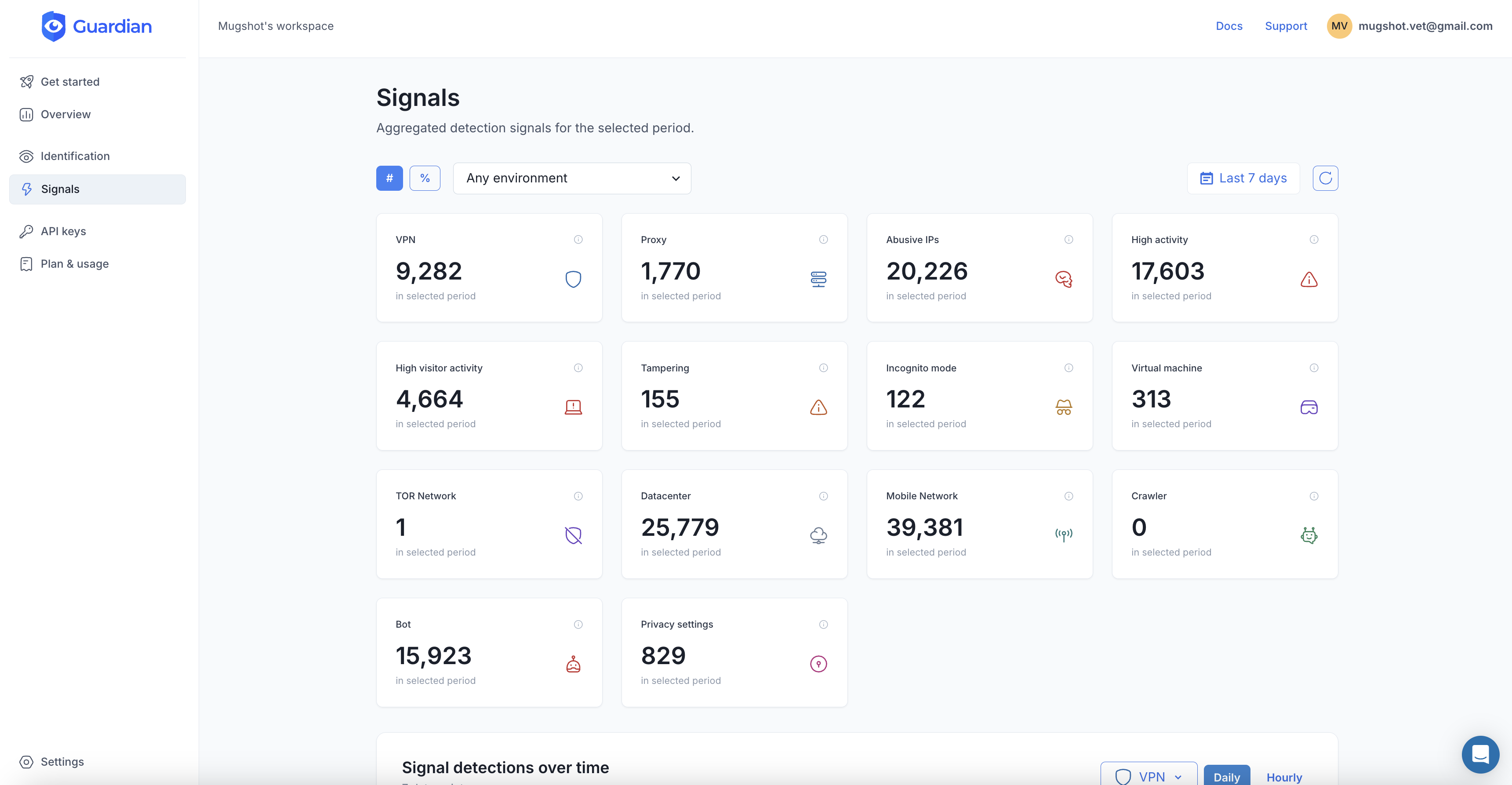
Guardian combines 70+ device and browser signals with server-side machine learning to identify every visitor to your site with 99.5%+ accuracy. Its persistent device fingerprinting recognizes visitors across sessions, incognito mode, and cookie clears, making it extremely difficult for bots to disguise themselves as new users.
Here is how to add bot detection to your site in minutes.
1. Install the JavaScript agent
npm install @guardianstack/guardian-js2. Identify visitors on the client side
Load the agent and collect browser signals when a visitor accesses a protected page. The agent runs asynchronously and does not block page rendering.
import { loadAgent } from '@guardianstack/guardian-js';

// Initialize the agent with your site key
const guardian = await loadAgent({
  siteKey: 'YOUR_SITE_KEY',
});

// Collect browser signals and get a request ID
const { requestId } = await guardian.get();

// Send the requestId to your backend for server-side verification
await fetch('/api/bot-check', {
  method: 'POST',
  headers: { 'Content-Type': 'application/json' },
  body: JSON.stringify({ requestId }),
});
3. Verify on the server and check Smart Signals
Use the server SDK to retrieve the full event data, including bot detection, VPN, tampering, and other Smart Signals.
import {
  createGuardianClient,
  isBot,
  isTampering,
  isVPN,
} from '@guardianstack/guardianjs-server';

const client = createGuardianClient({
  secret: process.env.GUARDIAN_SECRET_KEY,
});

const event = await client.getEvent(requestId);

// Check bot detection and Smart Signals
if (isBot(event) || isTampering(event)) {
  return res.status(403).json({
    error: 'Automated access detected.',
  });
}

if (isVPN(event)) {
  // Flag for additional verification
  return res.status(200).json({
    action: 'challenge',
  });
}

// Legitimate visitor, proceed normally
return res.status(200).json({ action: 'allow' });
The API response includes detailed signals you can use to build custom rules:
{
  "botDetection": {
    "detected": false,
    "score": 0,
    "automationSignalsPresent": false
  },
  "tampering": {
    "detected": true,
    "anomalyScore": 0.55,
    "antiDetectBrowser": false
  },
  "vpn": {
    "detected": false,
    "confidence": "none"
  },
  "velocity": {
    "5m": 3,
    "1h": 17,
    "24h": 68
  }
}
The velocity field is particularly useful for bot detection. A legitimate user might generate 3 requests in 5 minutes. A bot stuffing credentials could generate hundreds. Combined with the bot detection score and tampering signals, you have everything you need to make accurate, real-time decisions.
Start your free trial or talk to our team to see how Guardian protects your site from automated threats.
Frequently asked questions
What is a bad bot?
How much internet traffic is bots?
Can bots bypass CAPTCHAs?
Does bot detection slow down my website?
What is the difference between bot detection and bot management?

Related articles

· 11 min read
AI Agent Threats: What Businesses Actually Need to Worry About
AI agents are reshaping fraud. Learn what threats are real today, what is hype, and how device intelligence defends against both bots and agents.

· 9 min read
7 Best reCAPTCHA Alternatives for Bot Prevention (2026)
reCAPTCHA is losing ground to privacy-first, invisible alternatives. Compare hCaptcha, Turnstile, Guardian, and more to find the right fit.

· 8 min read
How to Stop Brute Force Attacks on Your Login Pages
Brute force attacks exploit weak passwords and stolen credentials at scale. Learn layered prevention techniques that actually work in 2026.